I really like Dhan’s Super Order feature but after using it for over two months, I feel it’s a bit too rigid. Here are some pain points I faced:
If I enter an intraday position with Super Order in the morning, there’s no way to convert it to delivery by EOD within the same Super Order. I have to convert it manually outside Super Order, which breaks the flow.
Quantities are locked once the order is live, no option to edit or partially adjust later.
scenarios
* I buy via Super Order
* Later, I sell part of the quantity manually to reduce the risk/scaleout
* But the Super Order still shows the initial full quantity (unless I cancel the stop/target leg and create a manual stop).
Overall, Super Orders feel “locked” once initiated. A bit more flexibility to edit, scale out, or convert to (delivery, mtf or intraday) would make it far more powerful.
Dhan team are there any plans to bring these important improvements?
Hii @jaison , thank you for actively using Super Orders over the past months and for sharing your detailed feedback with us. We truly appreciate the time and thought you’ve put into this. We have carefully noted your suggestions regarding:
Converting positions within the same Super Order (intraday to delivery/MTF)
Editing quantities or partially exiting without disrupting the flow
Allowing more flexibility in adjusting stop/target legs
Your inputs are extremely valuable, and we’ll be sharing them with our product team as we continue to enhance Super Orders in future updates.
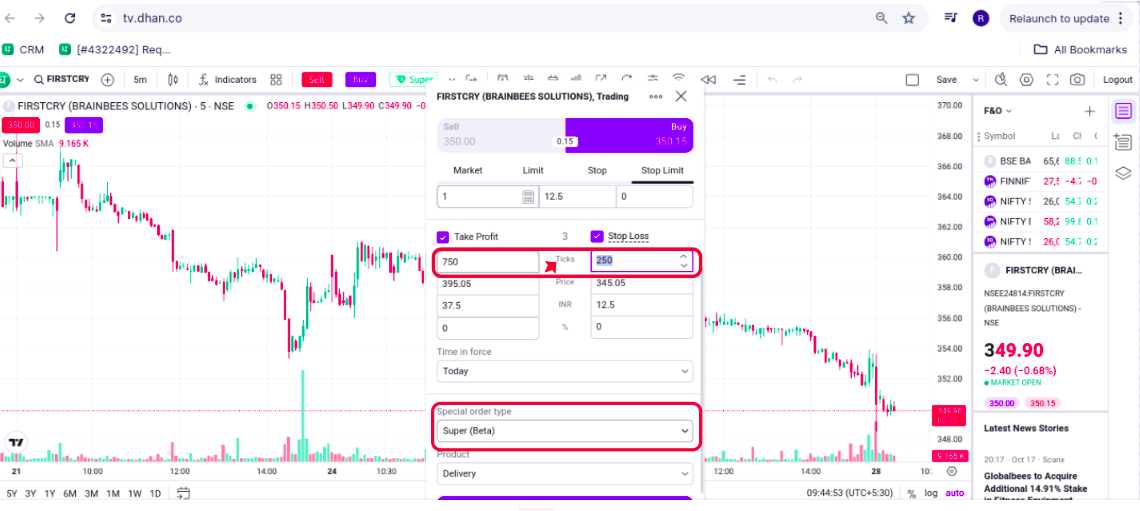
For super quick orders, I put SL & target in ticks. The limit of putting SL in price value, defeats the whole purpose of risk management. Meaning in quick entries, it can exceed SL. Simple solution, please put an option for putting SL values in ticks.
Hi @ronin , at the moment, this feature is available only on chart.tv.dhan.co (screenshot attached for reference). On the web Super Order page, you can currently use the price value option. We appreciate your feedback and have shared it with our team for future consideration.
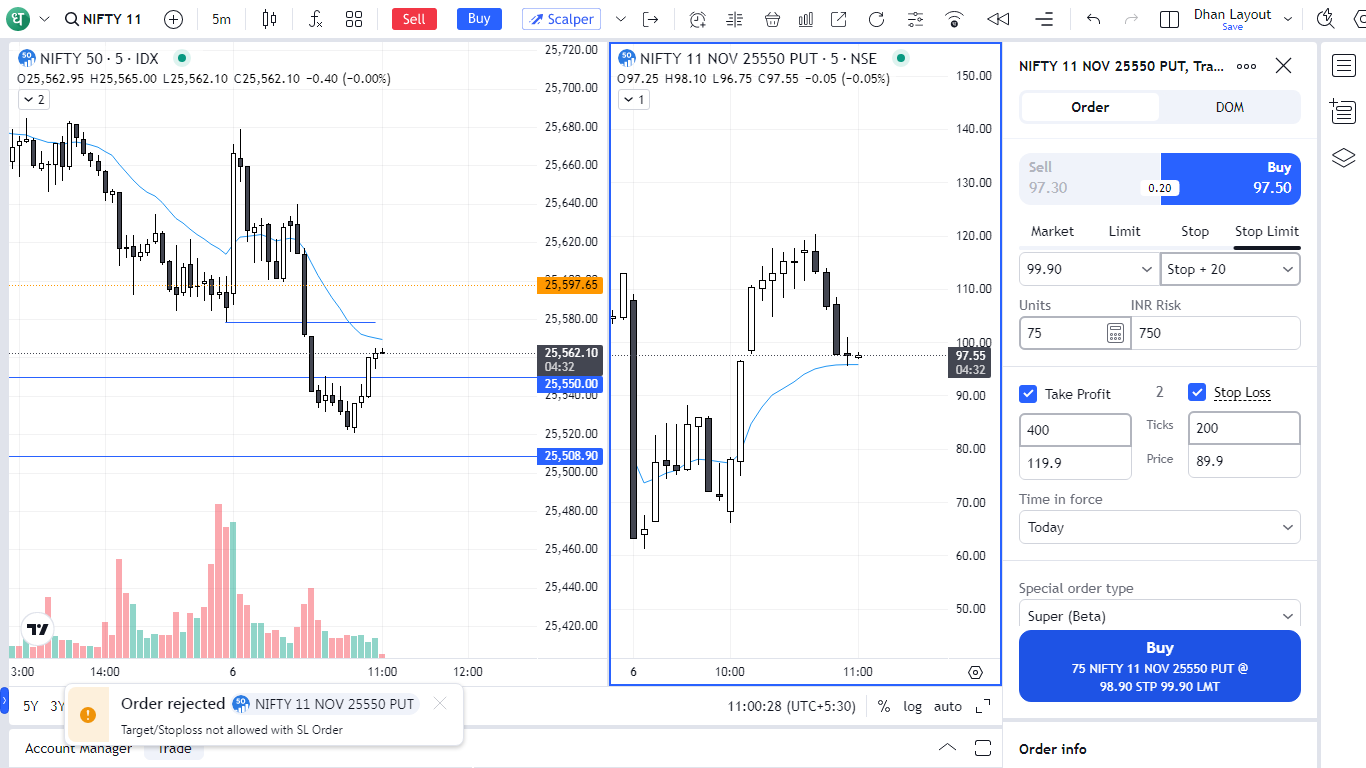
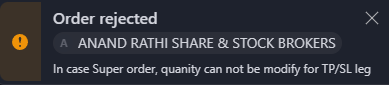
The method recomended by you, gives error and order can’t be placed this way. The error that I get is ‘Target/Stoploss not allowed with SL Order’. Is there some setting that I am missing ?
Hey @JP_Misra, we tried reaching you via call but were unable to connect. Could you please share a screenshot of the message you’re seeing when trying to place the order, along with your order details, at help@dhan.co
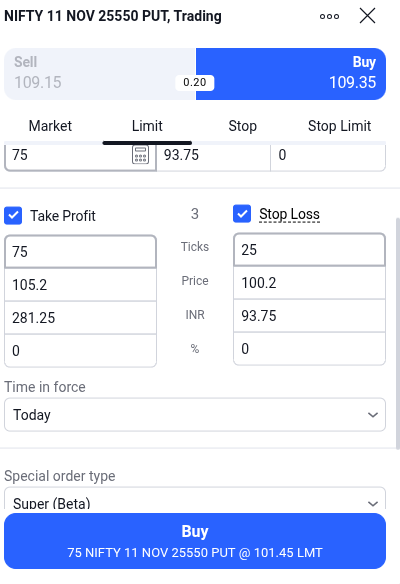
Sorry missed your call, PFA the screen shot. Order details and Error message (left bottom corner) are in the screen shot.
I have been trying to do this for some months now, but always get error. As a work around I place a stop limit order far away from the market price and then modify it with my desired Stop, Limit, SL and TP, which works.
Hey @JP_Misra, to avoid the rejection of your target/stop loss, we recommend selecting either ‘Limit’ or ‘Stop’ first, and then choose ‘Take Profit’ and ‘Stop Loss’ instead of using ‘Stop Limit.’
Thank @Madiya_Khatri for your response, I am aware of using TP and SL with Market and Limit orders. My requriement is to have an entry with a price some ticks above the bar close price (say 20 ticks above the last bar close), which needs the use of Stop Limit orders or Super Orders.
Thanks again, I will work with the work around that I have adopted.
Any updates on the Superorder enhancement work? It’s becoming quite inconvenient now, most of the time, I end up canceling Superorders and placing normal orders manually after modifying the units.
Hi @jaison , we tried reaching you over a call but were unable to connect. To clarify your query yes, you can modify or cancel a Super Order depending on its current status:
Pending State: You can cancel or modify all three legs main, target, and stop-loss. Both price and quantity can be updated.
Active State: Once the main leg is executed, it cannot be canceled or modified. However, the target and stop-loss legs can be canceled, and their prices can be modified (quantity changes aren’t allowed).
Partial Execution: In case of a partial trade, modifications or cancellations apply to the remaining quantity as per the conditions mentioned above.
Hi Rushabh,
Thanks for clarifying. As a swing trader, I often scale out of positions manually, so being able to modify the stoploss order quantity in the active state (point 2) for the remaining position after partial selling would be extremely helpful. Please consider enabling this feature in future updates.
@Rushabh_Vakharia Can we modify quantity in super order web UI. The reason for asking this features:
I want to book 30%, 30% and remaining 40% quantity in 1R, 3R & 5R respectively. But since we can’t modify quantity in super order, it’s all manual work at present.
Hi @ssolanki , @jaison , thank you so much for sharing your feedback regarding the Super Order. Currently, once the main leg is executed, you can modify the prices for the target and stop-loss legs; however, quantity modification isn’t available yet. We have noted your suggestion to enable quantity modification as well and have shared it with our team for review and consideration.