Can we add from date and to date in below historical data
sample code
data = tsl.get_historical_data(tradingsymbol=‘NIFTY’, exchange=‘INDEX’, timeframe=“5”)
How to add from date and to date on this code
Can we add from date and to date in below historical data
sample code
data = tsl.get_historical_data(tradingsymbol=‘NIFTY’, exchange=‘INDEX’, timeframe=“5”)
How to add from date and to date on this code
Hey @John_Anson ,
Thanks for bringing this up @Tradehull_Imran may be able to assist here.
Hi @John_Anson ,
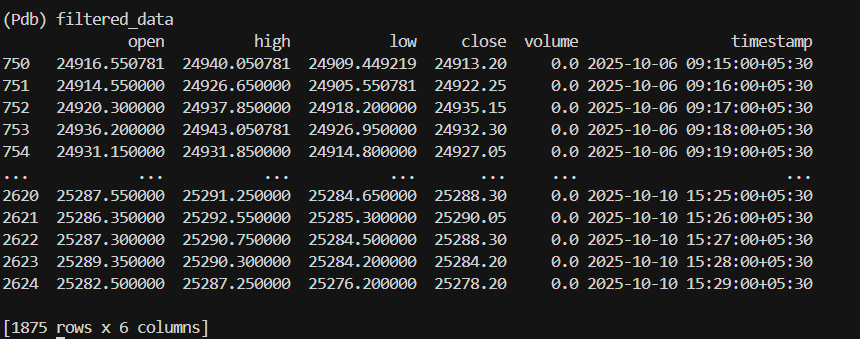
After fetching the data, you can slice the data according to the dates required as below.
data['timestamp'] = pd.to_datetime(data['timestamp'])
start_date = '2025-10-05'
end_date   = '2025-10-10'
filtered_data = data[(data['timestamp'].dt.date >= pd.to_datetime(start_date).date()) &
                (data['timestamp'].dt.date <= pd.to_datetime(end_date).date())]

print(filtered_data)
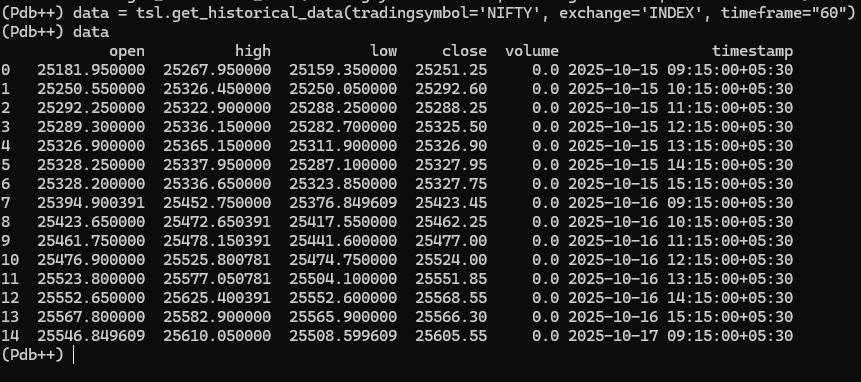
Hi @Tradehull_Imran When I try to extract data from below code
data = tsl.get_historical_data(tradingsymbol=‘NIFTY’, exchange=‘INDEX’, timeframe=“60”)
I get only 15 candles which is insufficient to calculate indicator. I need more data like at least 20 candles to calculate this. How can extract more historical data
Hi @John_Anson ,
Do update to our latest codebase version 3.0.6:
pip install Dhan-Tradehullpip show Dhan-TradehullGuide to use the updated codebase:
Refer the below pypi link for more details:
Hi @Tradehull_Imran , I have updated
C:\Users\meetj>pip show Dhan-Tradehull
Name: Dhan_Tradehull
Version: 3.0.6
Summary: A Dhan Codebase from TradeHull
Author: TradeHull
License:
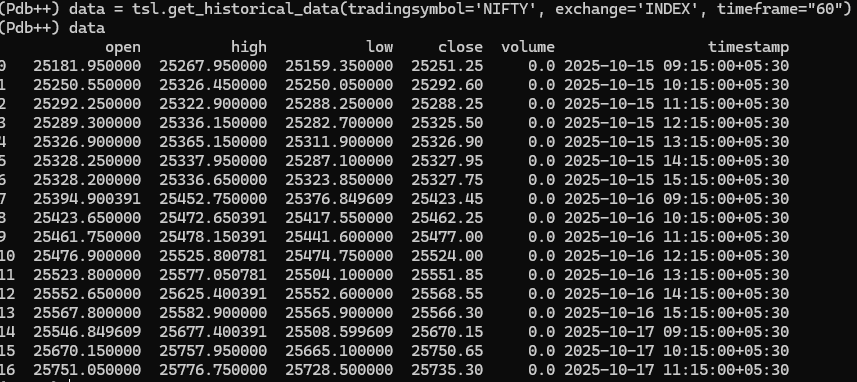
But still I am getting only 16 candles. How can I get minimum 20 candles historical data of 60 mins timeframe
I have refereed the PyPi. and I used the same code.
Hey @John_Anson ,
Thanks for bringing this up @Tradehull_Imran would be able to assist you better.
Hey @Tradehull_Imran kindly look into this
Hi @John_Anson ,
Dhan_Tradehull.py file is located:pip show Dhan-Tradehull
Location: in the output.Location: C:\Users\<username>\AppData\Local\Programs\Python\Python311\Lib\site-packages
Dhan_Tradehull.py
def get_start_date():
start_date = df.iloc[-2]['timestamp']
start_date = df.iloc[-30]['timestamp']
Dhan_Tradehull.py.That works. Thanks